Scope & Purposes
This document will detail the steps in resetting a user’s MySQL password. A lot of our in-house services are powered by MySQL Databases.
Steps & Explanation
Note: All of these commands are executed with root privileges, e.g. sudo su.
First, stop MySQL service:service mysql stop
Then start MySQL with skip grant tables configuration:mysqld --skip-grant-tables
These next steps should be done using a SQL software on a different machine to circumvent the fact that we cannot update the Password field directly while in --skip-grant-tables mode (HeidiSQL or phpMyAdmin from XAMPP, etc.)
Now that we can log in to MySQL without password, let’s log in with the username root and select the mysql database.
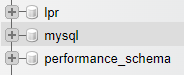
We can now proceed to change the user password. However, since we cannot update the Password field directly, we can update another field first, then copy it over. In this example, let’s update the Host field.
Note: Take note of the value of the Host field before updating, so we can put it back after.
UPDATE mysql.user SET Host = PASSWORD('YOURNEWPASSWORD') WHERE User = 'username';
FLUSH PRIVILEGES;
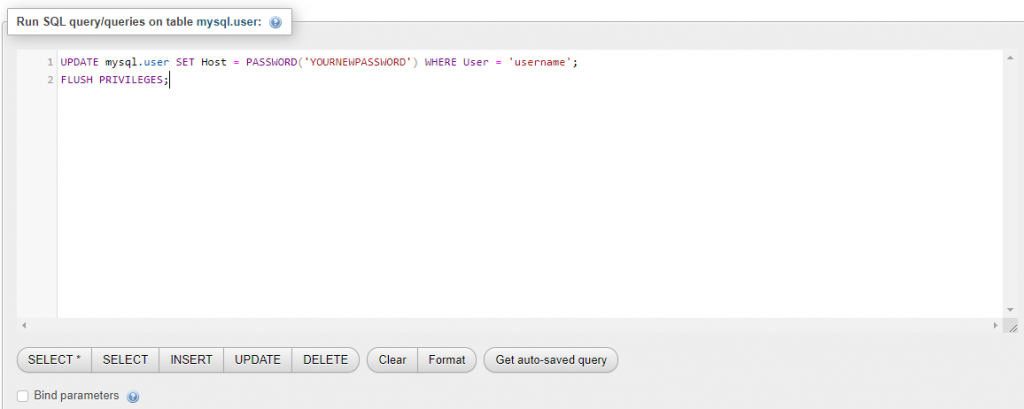
Copy the new password from the Host field over:

And revert the Host value to to what it was before:
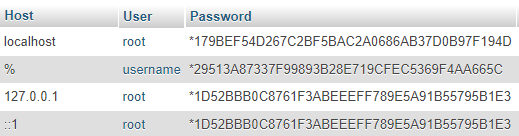
Now we’re done, we can go back to the server, kill any existing MySQL service, and restart MySQL. We can either:
sudo killall -9 mysqld
sudo service mysql start
Or just restart the server.
reboot